Open Data
How to Access Data in Tier0
Tier0 provides 3 types of data subscription and invocation methods: API, MQTT, and MCP.
API
To access data through API, you need to use the URL and secret key provided in the platform.
- Log in to Tier0, and select System > Open Data.
- Click New Key to create a secret key.
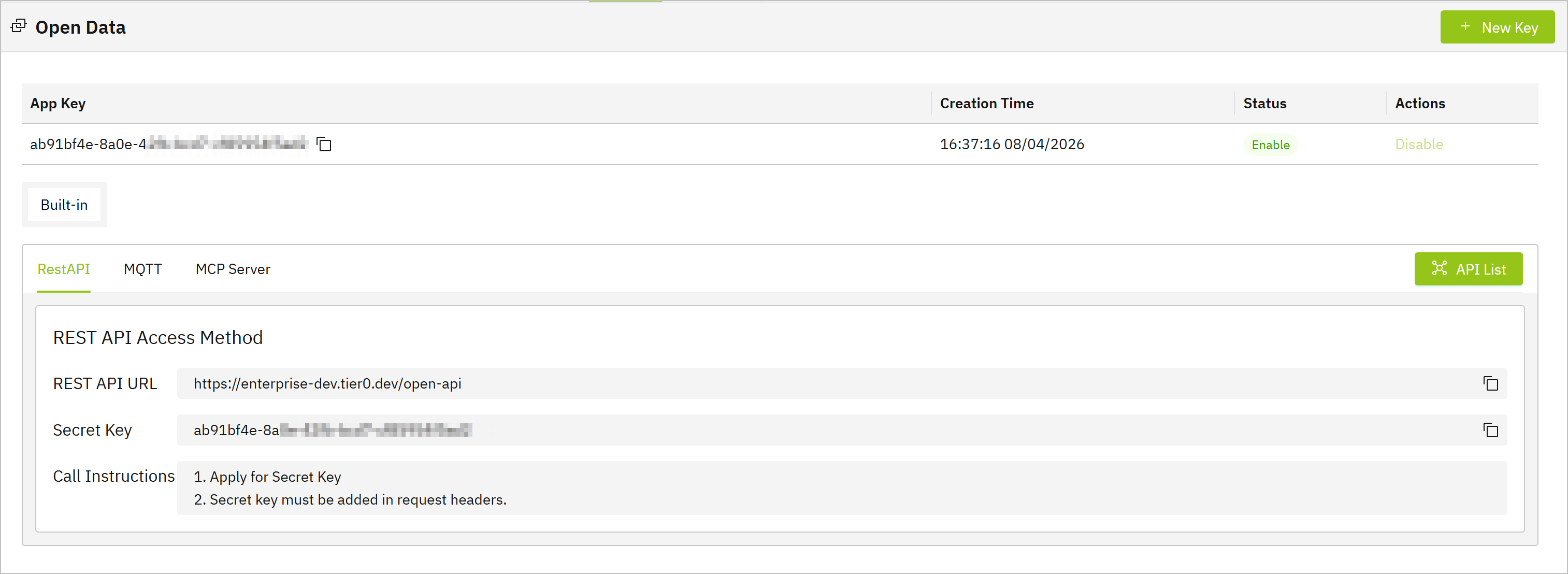
- Use the URL displayed on the bottom, and the created key to obtain data from Tier0.
info
Click API List to read the API documentation.
MQTT
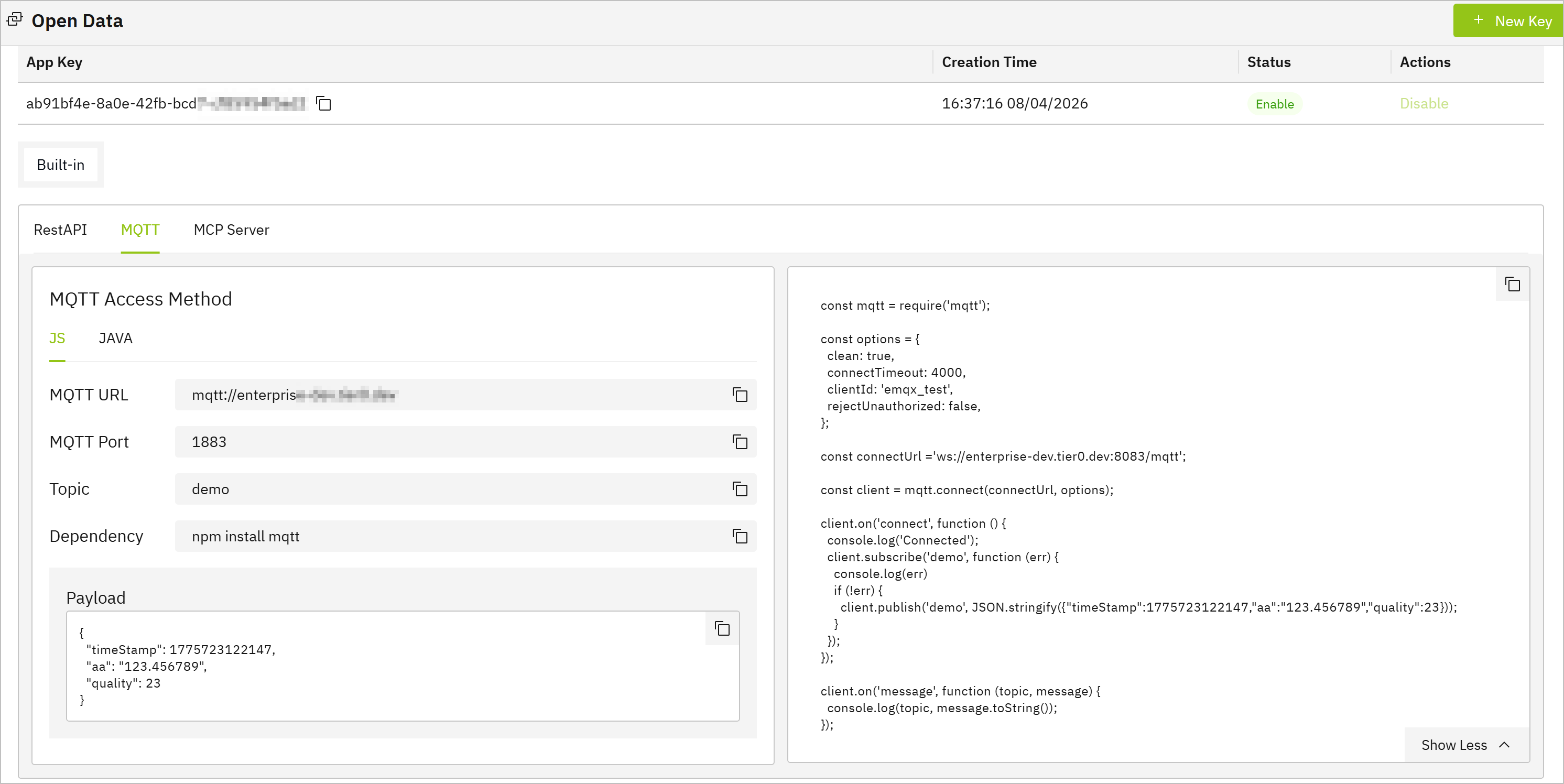
You can use third-party clients like MQTTX, MQTT Explorer, or custom code to subscribe to data through MQTT.
- Log in to Tier0, and select System > Open Data.
- Click MQTT to view the MQTT connection information, including the broker address, port and topic.
info
Tier0 provides script samples in both JavaScript and Java to help you get started.
MCP Server
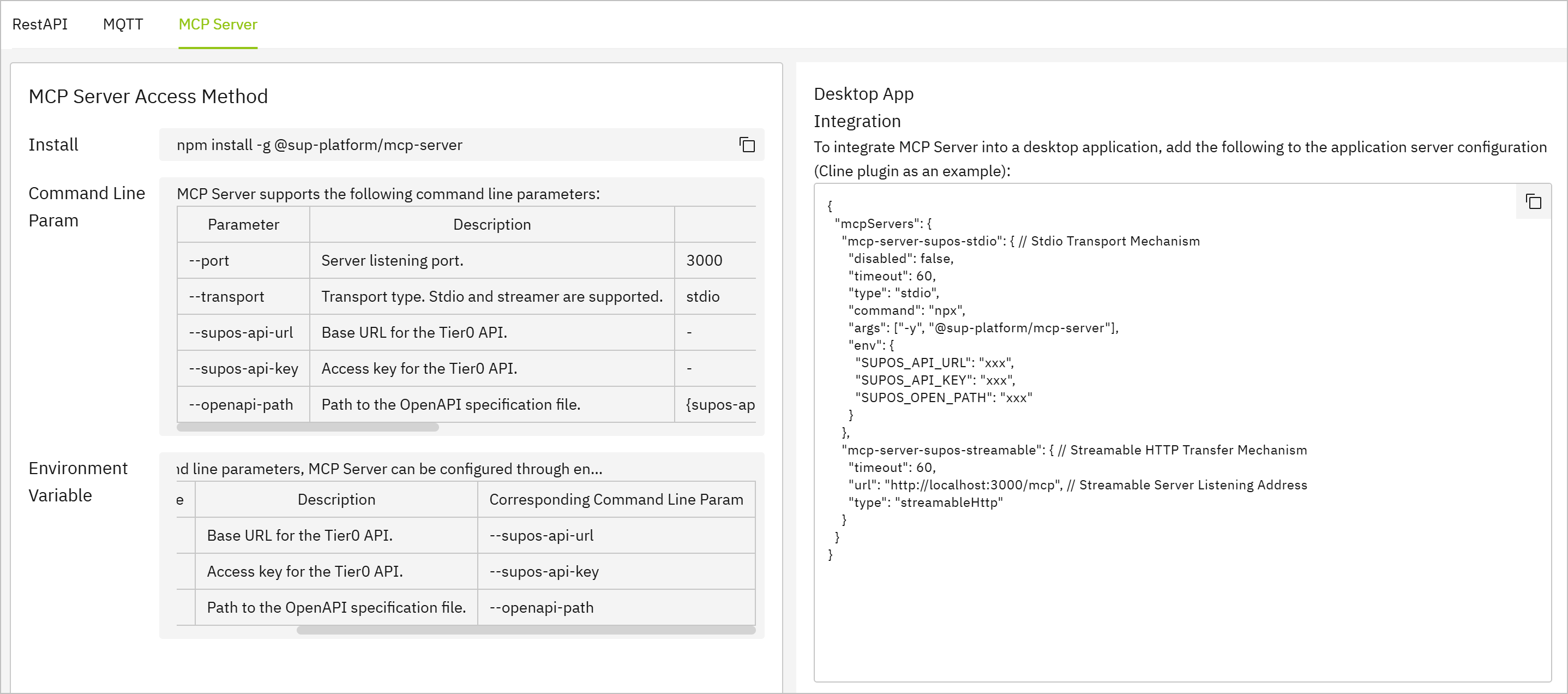
Tier0 enables you to use an MCP server to get data from the platform through a custom LLM.
- Log in to Tier0, and select System > Open Data.
- Click MCP Server to view the MCP connection details and example.
info
- Cline plugin usage is used as an example.
- The required URL and key can be obtained on the RestAPI tab.
- You can click API List on the RestAPI tab, and copy the address as the SUPOS_OPEN_PATH in the scriptto help AI understand.